How to turn your novel into a fantasy map
Your manuscript already contains a map: the places, regions and journeys your characters move through. Mapella reads the text, extracts them and draws a first version of your world.
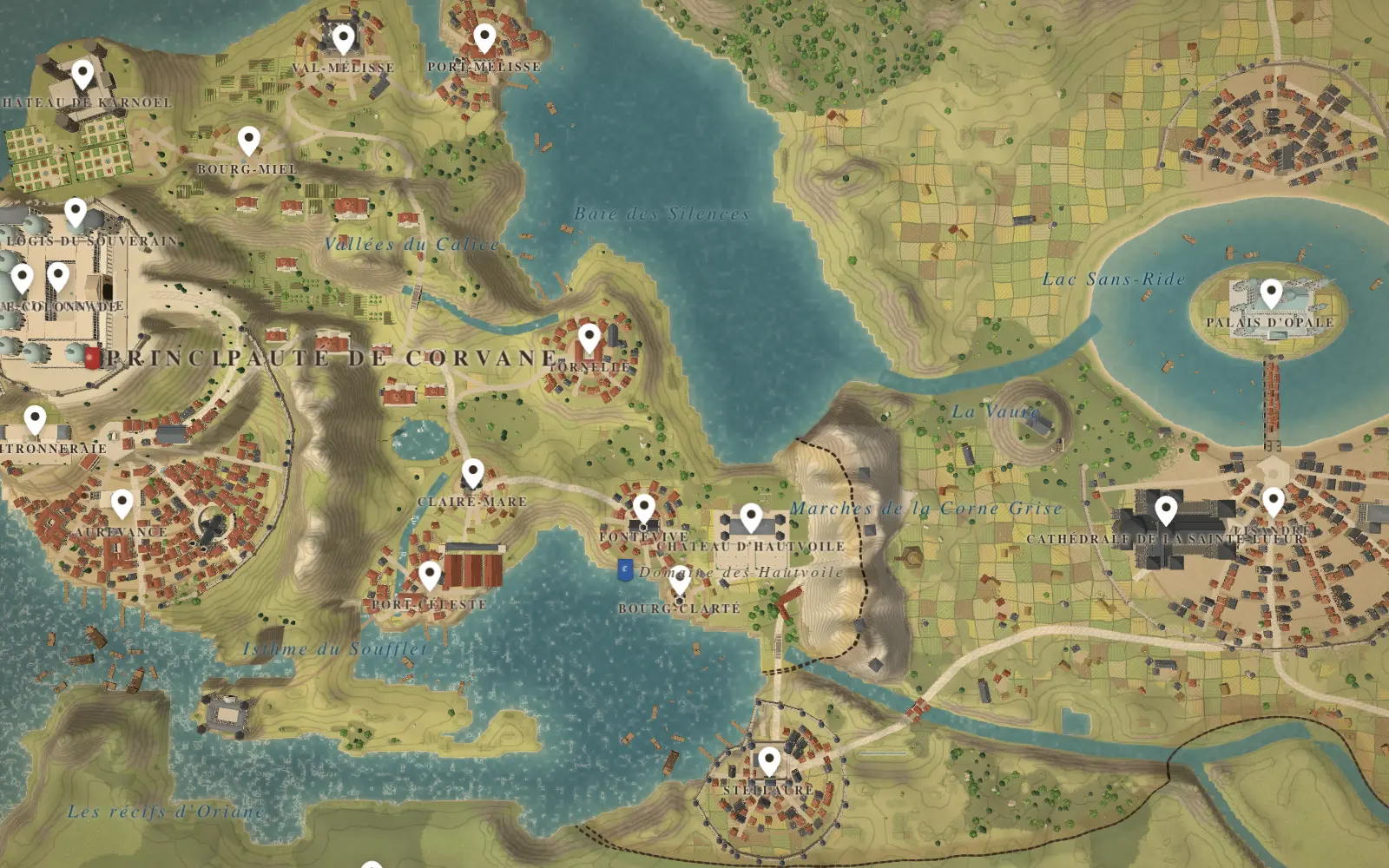
What happens when you import a manuscript
You import your novel. Mapella finds the places, seas, regions and journeys in your text, then draws a first map. You can also start from an image or from a photo of a sketch.
- Import the manuscript.
- Mapella lists the places, seas, regions and journeys it found.
- It draws a first map from that list.
- You correct names, positions and links, and keep what is right.
What the free plan reads
On the free plan, Mapella reads the first 80,000 characters of your manuscript, which is around 13,000 words. Paid plans read the whole novel. For a first test, the free portion is usually enough to see whether the map matches your idea of the world.
Prepare your text for a better result
- Spell each place name the same way throughout. If a city is Aurevance in chapter one and Aurevanse in chapter nine, expect two cities in the list.
- Keep the names that matter in the text itself. A place that is only implied cannot be extracted.
- Remove notes to yourself, alternative drafts and commented-out passages, so that only the text you stand behind is read.
- Where the story gives a direction or a duration, keep it. You will use it in the next step to check the map.
Read the first map critically
The first map is a draft. Check the list of places for duplicates, which are the same place under two spellings, for missing places, and for names extracted by mistake, such as a surname that looks like a town. Then look at the layout.
Mapella cannot know what your text leaves unsaid, for example how far apart two cities are when the novel only says a long ride. Those decisions are yours.
Fix what the text does not say
Where the novel is vague, decide. Pick distances, then check them with the travel time figures. Where the novel contradicts itself, the map shows it, and fixing the manuscript is a good outcome of the exercise.
Your names stay yours. Mapella does not invent place names: it places the ones it reads in your text or the ones you give it.
After the import
From the first map you can refine the land, attach worldbuilding cards to places, model landmarks and tilt the map to see the relief. The guide on drawing a fantasy map for your novel covers the steps in the order we suggest.
Questions
- Can I start from an image instead of a novel?
- Yes. You can start from an image or from a photo of a sketch.
- What if my novel is longer than 80,000 characters?
- On the free plan Mapella reads the first 80,000 characters. Paid plans read everything.
- Does Mapella invent my place names?
- No. It places the names you give it or the ones it reads in your text.
- Is my manuscript private?
- Your novel, maps and cards stay yours, and you can delete them whenever you want. Mapella has no advertising trackers and does not resell data.